Codex Remote
Pair Codex CLI on your computer with the official ChatGPT phone app. QR pairing, conversational setup, and remote device management.
Use Codex CLI from your phone
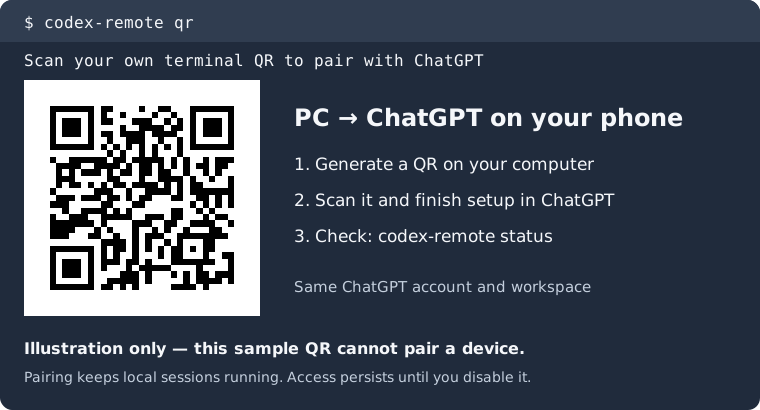
Codex Remote connects terminal Codex on your computer to the official ChatGPT phone app. Pair with a QR code, continue an existing chat, and manage remote devices from your terminal or by asking Codex.
It is a community plugin by Cheaux, using Codex’s native remote service and your existing ChatGPT account. OpenAI does not maintain or endorse this project.
Install Codex Remote · Download the release · View the source
What you need
- A computer with Node.js 24+ and Codex CLI signed in with ChatGPT, on any OS that exposes the required native managed-server remote interface.
- The official ChatGPT phone app, signed into the same account and workspace.
- Your PC awake, online, and running Codex’s managed server while you connect remotely.
Codex 0.163.0 is the tested native version. Account and workspace policies still apply.
Three steps to a phone connection
- Install the release and register its Codex plugin.
- Run
codex-remote qron your PC, scan it with your phone, and finish setup in ChatGPT. - Check
codex-remote status, then continue your existing chat from your phone.
After opening a new Codex terminal to load the plugin, you can also ask:
Show the QR for remote session pairing.
The plugin preserves local sessions and existing pairings. There is no separate API key, additional remote server, or new public listener. Remote access stays enabled until you explicitly disable it.
What has been tested?
Android pairing and continuing an existing conversation were verified on a real phone. iPhone uses the same native pairing link, but its end-to-end check is pending. New mobile chat creation, approvals, and steering also need further verification.
Linux hosts are verified. macOS, Windows, and other operating systems are untested and need a compatible native managed-server remote interface. The native APIs are experimental. Detailed compatibility and answers
Does this add /qr to Codex?
Yes, after enabling the shared Codex Command Extensions host. Remote independently registers /qr and its description. Folders is not required. The host currently supports Linux/macOS; conversational pairing and the CLI work without it. Set up the shortcut
Need help?
Start with troubleshooting, the command reference, or open an issue. Do not include real QR codes or pairing links in public reports.