Codex Folders
Organize Codex CLI chats into folders, start chats inside projects, and share project instructions and memory from the terminal.
Codex Folders
Organize Codex CLI conversations into folders and work with shared project context in the same terminal.
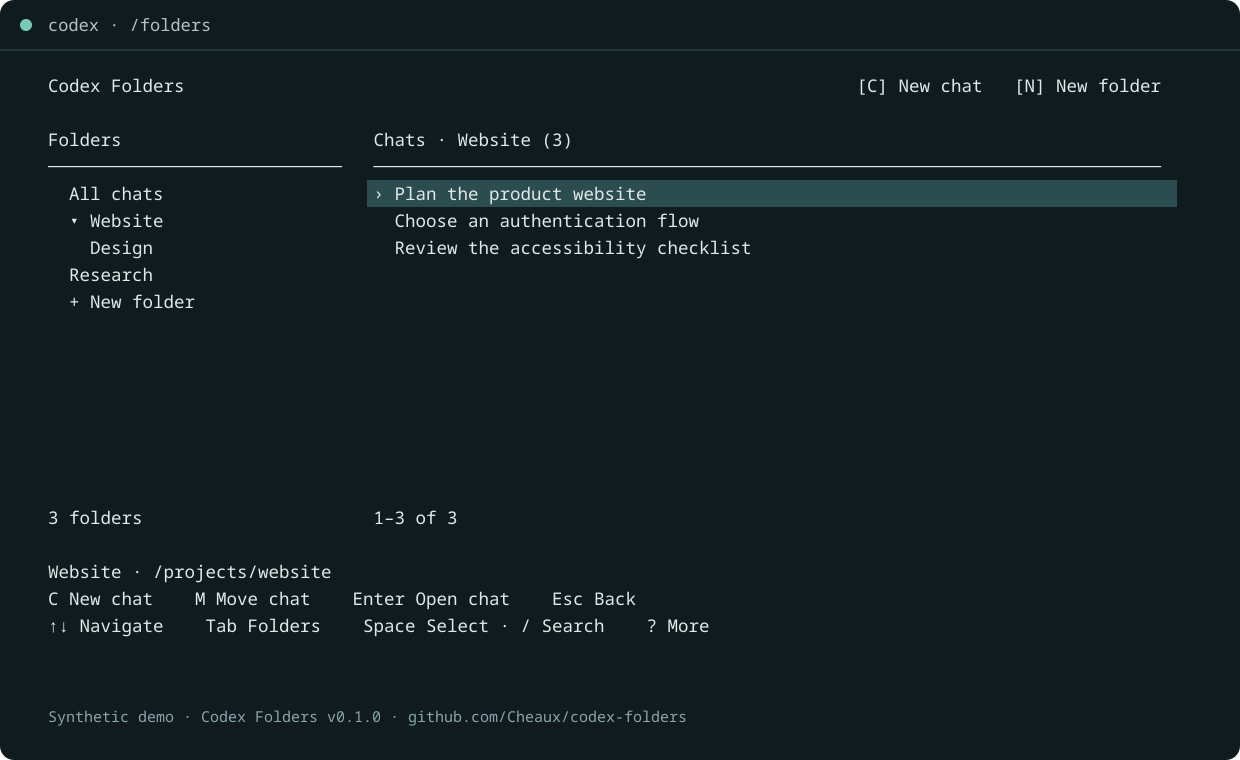
Create folders with N, move chats with M, and start a new chat inside the selected folder with C. All chats shows conversations outside folders. Filed chats stay in their folders; Codex-archived chats remain hidden.
Install Codex Folders · GitHub repository · v0.1.0 release
Commands in your Codex terminal
| Command | Purpose |
|---|---|
/folders |
Browse folders and chats. |
/resume |
Browse folders instead of the original picker. |
/resumedbg |
Open the original Codex chat picker. |
| Ctrl+X, then F | Open folders while preserving your draft. |
| Ctrl+X, then B | Switch retained terminal views. |
These commands come from the separate Codex Command Extensions host and the Folders provider. The plugin’s standalone browser, CLI, and MCP tools also work without that host.
Projects that remember decisions
Choose a plain folder for organization or a project folder for shared instructions, a revisioned brief, and search across that project’s chats. Subfolders inherit the project context. Ask Codex to recall a decision or save next steps; trusted hooks load the brief automatically. Understand shared context.
Requirements and status
Version 0.1.0, MIT license. Requires Node.js 24+, Codex CLI with plugins and App Server support, and Python 3 for the host. Linux verified with Codex 0.163.0. The host supports a Linux/macOS PTY backend; macOS untested, Windows terminal integration unavailable. This release covers Codex only.
Community software by Cheaux, not affiliated with or endorsed by OpenAI. Demo content is fictional.